Your tax practice grew because you served more clients. That's usually a good thing. But under TaxDome's new pricing, client growth can also mean a bigger software bill—even if you haven't hired another preparer.
That doesn't make TaxDome a bad product. It does make this a good time to ask a better question than “How much is my renewal?”
What does my office actually need from its client portal, and what will it cost to deliver that workflow next tax season?
Disclosure: InQ Tax sells products discussed in this article and competes with TaxDome. The platforms are not identical. Prices and features are based on published information reviewed November 6, 2026; your renewal offer may differ.
Your renewal date matters more than the announcement date
TaxDome introduced its client-based pricing for new firms on November 2, 2026. Instead of selling separate Essentials, Pro, and Business plans priced by staff seats, its new U.S. plan includes core features and up to 20 team members. The subscription starts at $1,500 per year for 150 active client accounts and rises with account volume. It's billed annually. TaxDome explains the plan here.
Existing firms don't automatically switch on January 1. According to TaxDome's transition guide, a firm that joined before November 2 stays on its current seat-based plan until its first renewal on or after January 1, 2027. A renewal before that date keeps the existing plan and price for the next term.
Before assuming what you'll pay, open your TaxDome renewal offer. Its client-based pricing FAQ says existing customers may receive a firm-specific offer, and that is more relevant than an example on someone else's Facebook post.
First, count accounts—not people in your contact list
“Active client account” has a specific meaning. An account becomes active when certain activity occurs during the plan year, such as the firm creating a job, issuing an invoice, or uploading a document. A contact sitting unused in your database doesn't automatically trigger a charge. Several contacts attached to one account count as one account; separate client accounts count separately. The count resets at renewal. See TaxDome's active-account FAQ.
That distinction matters in tax practices. A married couple using one client account is different from an individual with a separate business account. Don't assume your number of returns, contacts, or taxpayers equals your billable account count without checking how your firm uses TaxDome.
Consider one very ordinary tax office
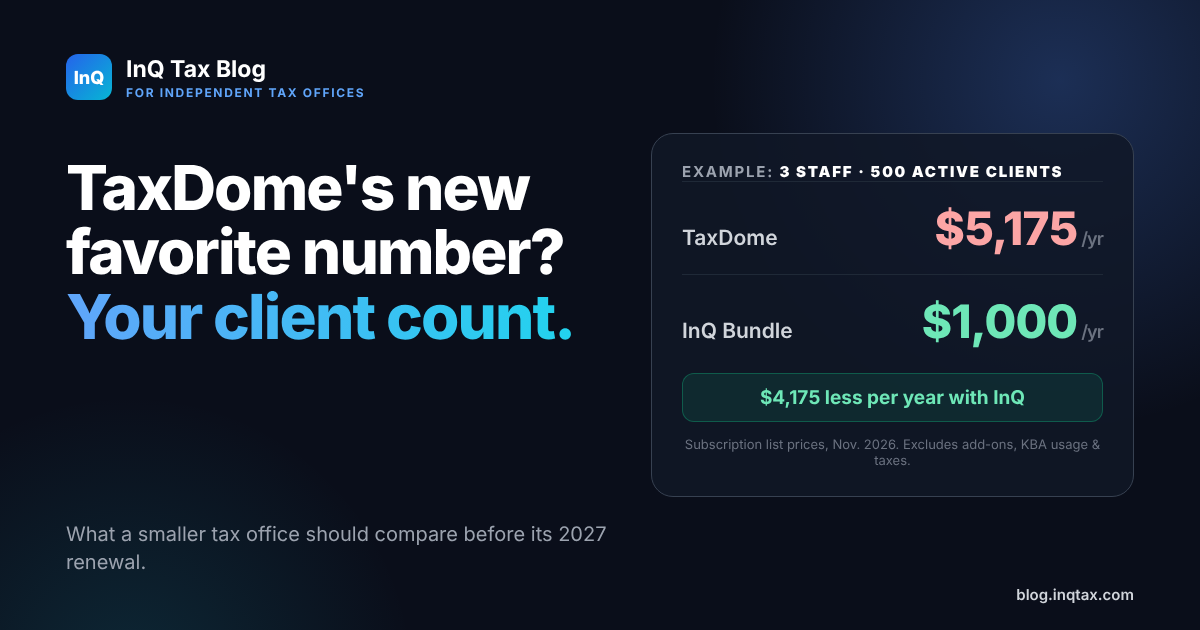
Picture a practice with three staff members and 500 active client accounts. It doesn't need 20 user seats. It does need a reliable way to collect documents, track returns, obtain signatures, get paid, and handle notices.
| Annual subscription example | TaxDome | InQ Check-In + Portal bundle |
|---|---|---|
| Firm size | 3 staff / 500 active accounts | 3 staff / 500 clients |
| Annual subscription | $5,175 | $1,000 |
| Included staff capacity | Up to 20 | 5 Portal seats |
| Difference in annual subscription | $4,175 less with InQ |
The TaxDome figure is its published 500-account list-price example, captured by independent pricing tracker StackWatch on November 5, 2026. InQ's $1,000 bundle price is shown on our current pricing page. Prices exclude add-ons, payment processing, KBA usage, taxes, and migration costs. This is a subscription-price comparison, not a claim that the two products have identical features.
There is an upside to TaxDome's approach: a larger team can use up to 20 included seats without paying for each additional person. For some firms, especially those with relatively few active accounts and many employees, that could be attractive. A three-person office, however, gets no extra day-to-day benefit just because 17 additional seats are available. To be precise, TaxDome isn't charging for 17 unused seats; the new price is driven by the active-account count.
Don't compare portals by feature-count bingo. Follow a return instead.
An accountant with 30 different software modules might be thrilled with a giant practice-management platform. A tax office processing hundreds of returns may care more about whether its real work flows cleanly from the front desk to e-file.
A client drops off documents. Can the office track what happens next?
With InQ Check-In, staff can record returns as they arrive, see their status and assigned preparer, track office locations, and use customizable difficulty scoring based on the forms involved. Its Check-In and Check-Out Heatmaps show when clients actually arrive and pick up their work.
In a real tax office using Check-In, the heatmaps showed that no clients visited in the last 30 minutes of extended hours Monday through Thursday. The office plans to close 30 minutes earlier on those days next season: two fewer scheduled hours per employee each week without cutting a time slot clients were using. That's an operational decision, not merely a dashboard screenshot.
The return is ready. Can the client pay and sign without staff chasing two separate steps?
InQ Portal's Pay & Sign lets an office send an invoice and Form 8879 in one delivery workflow. The client receives the delivery, but Form 8879 remains unavailable for signing until the invoice is paid. Once payment is completed, the client can move to the signature step. It's an especially useful workflow for practices tired of following up on unpaid, already-signed returns.
To be fair, TaxDome also supports payment-linked delivery and can lock documents until an invoice is paid. This isn't a claim that TaxDome can't do it; it's a feature you should test in any portal you're considering.
The client signs remotely. Is the identity-verification step covered?
A standard electronic signature and an identity-verified electronic signature are not interchangeable for every tax form. IRS Publication 1345 sets additional identity-verification and recordkeeping requirements for remotely electronically signed Forms 8878 and 8879, including KBA-based processes.
Both TaxDome and InQ support KBA-verified Form 8879 signatures. InQ offers KBA through the Portal at $1.75 per verification. If you're shopping a less expensive portal, ask specifically whether its remote 8879 workflow supports the required identity verification today, rather than relying on a general “e-signatures included” claim.
An IRS notice arrives in August. Where does it go?
With InQ's bundle, InQ Notices is included. Tax offices can assign notices, track their status and deadlines, attach documents, and keep a record of what has been done. Clients can also submit notices through InQ Portal for staff to handle. The goal is simple: the notice should enter a managed workflow, not disappear into an email inbox.
And no, switching portals doesn't mean switching tax preparation software
You can keep using Drake, ProConnect, or another preparation package. InQ Portal accepts completed returns and supporting files as PDFs through its upload button or by dragging and dropping them into the appropriate client documents. On Windows, InQ Print skips the save-and-upload step entirely: print the return from your tax software to the InQ Print printer, pick the client and folder, and it goes straight into that client's documents. A Mac version is in beta. InQ Print needs to run on the same computer as the program you're printing from, so it can't print from hosted or remote-desktop tax software. It doesn't require you to change how you prepare the return itself.
That said, InQ isn't a copy of TaxDome. If your office depends on direct QuickBooks Online transaction categorization inside the portal, for example, InQ doesn't currently offer that integration. Compare the workflows you actually use, not just the monthly or annual price at the top of the page.
The late-year migration problem is real
Here's the objection we hear that has nothing to do with features: “I'd love to switch, but it's November. Who has time to move years of client files?”
Fair question. Nobody wants to spend December manually uploading PDFs while getting ready for January.
We're exploring an assisted migration option for offices moving to InQ Portal, with the goal of helping organize historical client documents rather than leaving every file transfer to the customer. File formats, volume limits, pricing, capacity, and turnaround commitments are still being established; the service is not currently an available, guaranteed offering. If you're considering a move, contact us with your client count and the system you're leaving so we can discuss what may be feasible.
Whatever portal you choose, test an actual export, confirm that documents land with the correct clients, and make sure you can still access your old records before canceling the prior system.
Before you renew, price the office you actually run
For firms with up to five Portal users, the InQ Check-In + Portal bundle is $1,000 annually or $100 month to month. InQ Notices is included either way. Additional Portal seats and usage-based services, including KBA, have separate charges. See all InQ pricing.
TaxDome's broader feature set and 20 included seats will make sense for some firms. InQ's smaller, tax-practice-focused suite may make more sense for others. The right answer depends on your client count, staffing, intake process, signatures, billing needs, and how much of your current software you actually use.
Your tax office shouldn't have to change its workflow just because a vendor changed its pricing model.
Sources and comparison notes
Third-party product names belong to their respective owners. This independent comparison is not affiliated with, sponsored by, or endorsed by TaxDome. Pricing and capabilities can change; always verify current terms directly with the provider. Information is intended for U.S. tax practices.